Thunderbolt 3 vs Thunderbolt 4: Stop Overpaying for Specs You Don't Actually Need
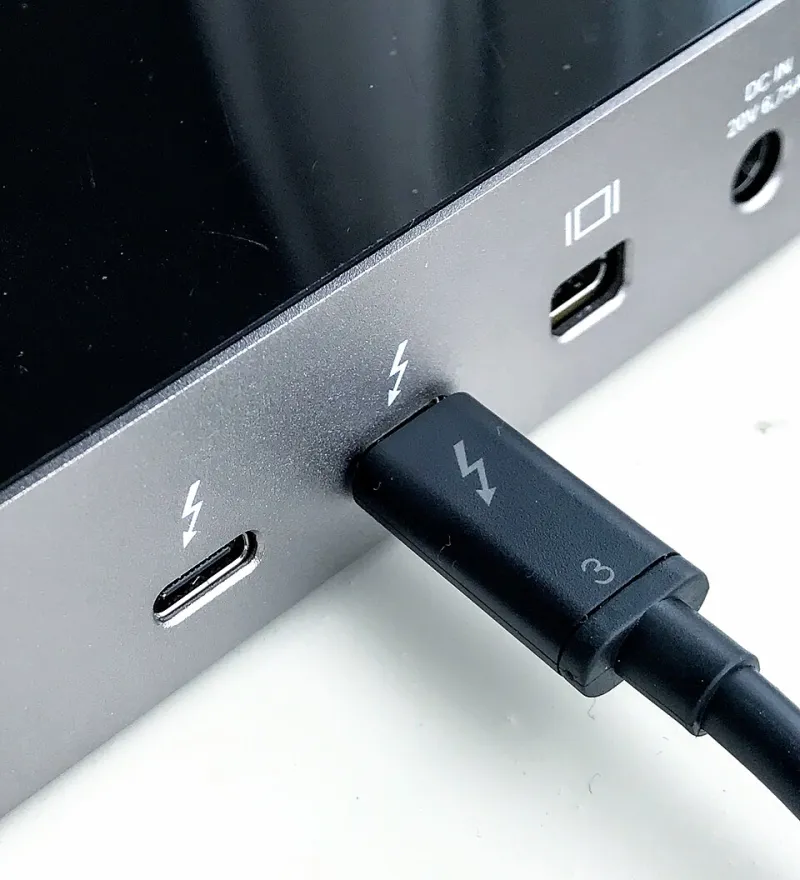
Photo: Amin, CC BY-SA 4.0, via Wikimedia Commons
Walk into any electronics department and you'll see Thunderbolt 4 plastered across laptop and dock listings like it's the golden ticket. Prices jump $50, $100, sometimes $200 compared to otherwise similar Thunderbolt 3 products. The implication is obvious: newer number, better product, open your wallet.
But here's the thing — the difference between Thunderbolt 3 and Thunderbolt 4 is genuinely subtle in most real-world situations. Intel, which controls the Thunderbolt standard, made some meaningful changes, but they're not the kind of changes that show up in everyday use for most people. Let's decode what actually changed, what the marketing conveniently glosses over, and whether your specific use case justifies paying the premium.
What Actually Changed Between TB3 and TB4
Both Thunderbolt 3 and Thunderbolt 4 use the same USB-C connector and share a maximum bandwidth of 40 Gbps. If you were expecting Thunderbolt 4 to be faster in raw throughput terms, that's the first misconception to clear up — it isn't.
What Thunderbolt 4 actually does is enforce minimum requirements that Thunderbolt 3 left optional. Here's the practical breakdown:
PCIe bandwidth: TB3 required at least 16 Gbps of PCIe bandwidth. TB4 mandates the full 32 Gbps. This matters for external GPU enclosures (eGPUs) and high-speed NVMe storage enclosures, where the extra PCIe headroom translates to real performance.
Dual 4K monitor support: Thunderbolt 4 requires support for two 4K displays simultaneously. TB3 only required one. If you're running a dual-monitor setup through a single dock, this is a meaningful distinction.
USB4 compatibility: TB4 devices are required to be USB4-compliant, which improves cross-compatibility with non-Thunderbolt devices. TB3 handled this inconsistently.
Wake-from-sleep over cable: TB4 requires that connected devices can wake a sleeping computer. TB3 made this optional, and many TB3 implementations skipped it entirely — which is why some people had to physically hit the power button even with a TB3 dock connected.
Daisy-chaining hubs: TB4 requires support for daisy-chaining up to three devices. TB3 technically allowed this but didn't mandate it, so support was spotty.
So yes, TB4 is a tighter, more consistent specification. But notice that the ceiling didn't change. The improvements are about making sure every TB4 device hits a higher floor.
The Dirty Secret: Many TB3 Devices Already Did All This
Here's where the marketing gets a little slippery. High-quality Thunderbolt 3 implementations — especially on Intel's own reference designs and premium laptops from Apple, Dell, and Lenovo — already supported most of what TB4 mandated. A 2019 MacBook Pro with TB3 could run dual 4K monitors, wake from sleep over cable, and saturate PCIe bandwidth just fine.
What TB4 really cleaned up was the low end of Thunderbolt 3 — the budget implementations that technically carried the TB3 logo but cut corners on optional features. If you had a cheaper TB3 laptop, you may have been burned by these omissions. If you had a premium one, the jump to TB4 is nearly invisible in day-to-day use.
This is important context when you're shopping for docks and accessories. A Thunderbolt 3 dock from a reputable brand like CalDigit or OWC will likely outperform a cheap Thunderbolt 4 dock in reliability and build quality, even though the latter has the newer badge.
Does the Upgrade Actually Matter for You?
Let's get specific, because the honest answer is "it depends" — and we'll tell you on what.
Students and everyday users: You're probably running one external monitor, transferring files occasionally, and charging your laptop. Thunderbolt 3 handles all of this without breaking a sweat. Unless you're buying a brand-new laptop today (in which case it'll likely come with TB4 anyway), there's no reason to seek out TB4 specifically or pay a premium for it.
Video editors and creative professionals: This is where TB4's mandatory 32 Gbps PCIe bandwidth starts to matter. If you're running an external NVMe RAID array for video scratch drives or working with an eGPU, the higher guaranteed PCIe floor in TB4 removes a variable that could otherwise bottleneck your workflow. It's not a night-and-day difference, but it's a legitimate one.
Business professionals and road warriors: The wake-from-sleep reliability and mandatory daisy-chain support in TB4 are genuinely useful in enterprise setups. If you're connecting to a dock in a shared office environment or hot-desking, the more consistent behavior of TB4 means fewer support headaches. Worth considering if you're buying new hardware.
Gamers using eGPUs: The 32 Gbps PCIe requirement in TB4 is a real advantage here. External GPU performance is already limited by Thunderbolt bandwidth compared to internal PCIe slots, and every bit of headroom helps. TB4 is the better choice if this is your use case.
Checklist: What to Look For Before You Buy
When evaluating any Thunderbolt device purchase, run through these questions:
- Do I actually need dual 4K monitor support? If yes, confirm TB4 or verify the specific TB3 device explicitly supports it.
- Am I using an external GPU or high-speed NVMe enclosure? If yes, TB4's PCIe guarantee is worth prioritizing.
- Is the price difference more than $80? If so, dig into whether the TB4 device has meaningfully better build quality, not just a newer spec badge.
- What ports does the dock or hub actually expose? A TB4 hub with only two downstream USB-A ports might be less useful than a TB3 hub with six.
- Is the connected laptop also TB4? A TB4 dock connected to a TB3 laptop still operates at TB3 spec. The dock doesn't upgrade your laptop.
- Am I buying a cable? Thunderbolt 4 cables are certified to work at full 40 Gbps over longer lengths (up to 2 meters passively). TB3 passive cables sometimes only guaranteed 20 Gbps beyond 0.5 meters. For cable purchases specifically, TB4 certification is a useful quality signal.
The Bottom Line
Thunderbolt 4 is a better-defined, more reliable standard than Thunderbolt 3 — but it's not dramatically faster or more capable at the top end. Intel essentially used TB4 to raise the floor and eliminate the inconsistency that plagued cheaper TB3 implementations.
If you're buying new hardware today, you'll mostly get TB4 by default on any modern Intel laptop, and that's fine. If you're evaluating whether to upgrade existing TB3 gear, the honest answer is: probably not unless you're hitting specific limitations around dual monitors, eGPUs, or connection reliability.
Don't let the version number anxiety cost you hundreds of dollars chasing a spec upgrade that your workflow doesn't actually require. Know what you need, verify the specific device supports it, and spend the rest of that budget on something that genuinely moves the needle for you.