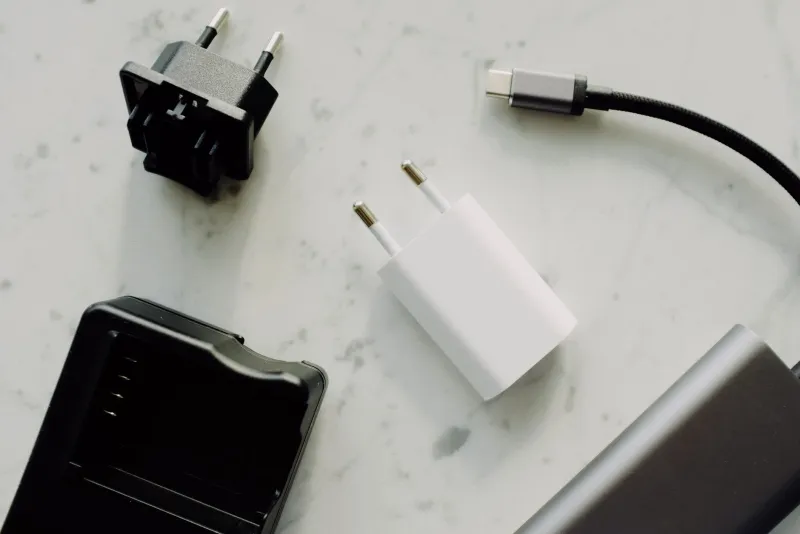
Dead Plugs, Real Dollars: The Surprising Annual Cost of Hoarding Obsolete Adapters
Open the drawer. Go ahead — you know the one. There's a FireWire 400 cable coiled around a 30-pin iPhone dock connector, a VGA-to-DVI adapter with a bent pin, and something that might be a proprietary Sony camera cable from 2009. You're not sure. You're never sure. And that uncertainty? It's literally costing you money.
We spend a lot of time at AdapterVIP talking about the performance cost of bad connectors, but today we're going after something different: the quiet, compounding financial drain of maintaining a personal museum of dead standards. Spoiler — it adds up faster than you'd expect.
The Real Estate Problem Nobody Talks About
Let's start with the most obvious but least-discussed cost: physical space. In major US metro areas, the average cost per square foot of living space runs anywhere from $150 in mid-sized cities like Columbus or Nashville to well over $600 in San Francisco or New York. A typical junk drawer or adapter bin takes up roughly 1.5 to 2 square feet of dedicated cabinet or desk space.
Run the math at even the conservative end — say $200/sq ft in a mid-market city — and that drawer is occupying real estate worth $300 to $400. Annualized over a standard 30-year mortgage or even a multi-year lease, you're paying somewhere between $10 and $25 per year just to store adapters you almost certainly won't use. That's not dramatic. But it's also not nothing, especially when you factor in what else that space could hold.
And for people who've graduated from one drawer to an entire dedicated storage bin, a shelf in the closet, or — and yes, we've seen this — a labeled tackle box system, those numbers multiply quickly.
The Opportunity Cost of "Just in Case"
Here's where things get more interesting. Every adapter you keep represents a decision you didn't make. Behavioral economists call this decision debt — the mental overhead of maintaining unresolved choices. That FireWire cable you're keeping because your uncle might need it for an old camcorder? Every time you open that drawer, your brain registers it, evaluates it briefly, and moves on. Multiply that micro-decision by dozens of adapters, and you're burning genuine cognitive bandwidth.
Research out of Princeton and Cornell has documented that cluttered environments measurably increase cortisol levels and reduce focus. While nobody's running a study specifically on adapter hoards (yet), the principle applies. The "just in case" mentality has a real productivity tax attached to it.
Beyond the psychological, there's also the direct opportunity cost of not selling those adapters while they still had value. A genuine Apple 30-pin to USB cable in good condition was worth $8–12 on eBay as recently as 2021. Today it's worth maybe $3, if you can find a buyer at all. Legacy FireWire 800 cables peaked in resale value around 2018. Parallel port adapters had a brief hobbyist resurgence that's largely passed. The window to recoup value on obsolete connectors is surprisingly short, and most people miss it entirely.
How Manufacturers Keep You in This Cycle
This isn't entirely accidental. Hardware manufacturers have long understood that legacy connector support is a retention tool. When a new laptop drops MagSafe and adds USB-C, Apple isn't just simplifying — it's creating an immediate accessory vacuum. Suddenly you need new cables, new hubs, new docks. The old stuff becomes drawer clutter while you spend $40 to $200 rebuilding your peripheral ecosystem.
The same dynamic plays out with every major connector transition: USB-A to USB-C, HDMI 1.4 to 2.1, DisplayPort 1.2 to 2.1, and on and on. Each generation is carefully timed to outpace the useful life of your existing adapters without being so fast that consumers revolt. You're left holding a collection of "almost useful" hardware that's just functional enough to feel wasteful to throw away, but not actually useful enough to reach for day-to-day.
This is a deliberate middle zone, and it's profitable for everyone except you.
Calculating Your Personal Adapter Tax
Want to figure out what your collection is actually costing you annually? Here's a simple framework we put together:
Step 1 — Count and categorize. Pull everything out. Sort into three piles: actively used in the last 6 months, used in the last 2 years, and haven't touched since the Obama administration.
Step 2 — Assign a storage cost. Estimate the square footage your collection occupies. Multiply by your local cost per square foot (you can find average rental rates on Zillow or Apartment List for your city). Divide by 12 for a monthly figure.
Step 3 — Look up resale value. Check eBay's "sold" listings (not asking prices — sold prices) for anything in pile two or three. This is the money you've already lost by waiting, and it's still leaving your pocket every month you delay.
Step 4 — Add the replacement risk. Older adapters degrade. Capacitors dry out, contacts oxidize, insulation cracks. An adapter you're storing as a backup may fail the one time you actually need it — potentially taking a device with it. That's a liability, not an asset.
For most people running this exercise honestly, the total annual cost lands somewhere between $40 and $150 when you account for all four factors. That's real money for what amounts to a drawer of nostalgia.
What to Actually Do About It
We're not going to tell you to throw everything out — that's not realistic and it's genuinely wasteful. Here's what actually makes sense:
Sell before the window closes. Anything from the last two generations of a dying standard still has resale value. List it now. eBay, Facebook Marketplace, and Swappa all move this stuff if you price it right.
Donate to makerspaces or schools. Organizations like local hackerspaces, high school robotics programs, and community college IT departments often run legacy equipment and need legacy connectors. Your dead standard is someone else's active infrastructure.
Keep one, toss the rest. If you genuinely need a backup of something, keep one unit in good condition. Keeping four "just in case" multiplies your storage cost without meaningfully improving your safety net.
Invest in a universal adapter strategy. A quality USB-C hub with broad compatibility, a solid HDMI 2.1 adapter, and one well-reviewed multi-port dock covers the vast majority of modern connection scenarios. Consolidating to fewer, higher-quality adapters beats maintaining a sprawling archive of single-purpose legacy gear.
The Bottom Line
Your adapter graveyard isn't free to maintain. It costs space, mental energy, opportunity value, and — if something fails at the wrong moment — potentially the device it was supposed to protect. The manufacturers who created these standards moved on a long time ago. Your wallet deserves the same courtesy.
Do the audit. Run the numbers. And maybe, finally, let that 30-pin cable go.