Shore Power to Starlink: The Adapter Stack Every RV and Van Dwellr Actually Needs
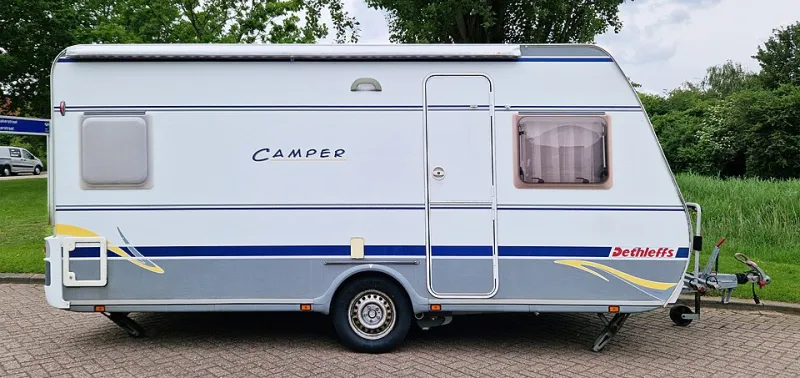
Photo: Renée Kools, CC BY 4.0, via Wikimedia Commons
The American road has never been more crowded with remote workers. Van builds and RV purchases have boomed, and a huge number of those rigs double as full-time offices — dual monitors, Starlink dish, laptop docks, the works. But mobile power is a different animal than the wall outlet in your apartment, and the adapter stack that keeps it all running is genuinely non-obvious.
Understanding the Two Electrical Worlds
Your gear speaks USB and 120V AC. Your rig speaks 12V DC (from batteries) and, when plugged into a campground pedestal, either 30-amp or 50-amp shore power. Everything between those worlds is a translation device — and each translation costs money, efficiency, or both.
The golden rule of mobile power: run DC devices straight off DC whenever possible. Every AC inversion step wastes 10–15% of your battery capacity as heat. That wall-wart charger you've been using since 2015 is the least efficient path to your laptop.
The Essential Adapter Stack
Shore power interface. A 30-amp to 15/20-amp dogbone adapter lets you plug your rig into a standard household outlet when full hookups aren't available — which is most of the time when you're boondocking at a friend's driveway. A surge protector between the pedestal and your rig is not optional; campground wiring is notoriously sketchy, and low or reversed voltage will cook your converter.
12V distribution. Skip the cigarette-lighter splitters and install (or ask your builder for) fused 12V outlets or USB-C PD ports wired to the house battery. A 12V USB-C PD charger rated 60W+ handles most modern laptops natively — no inverter, no waste.
The inverter — spend carefully here. If you must run AC devices (a desktop dock, a monitor, a Starlink power brick), you need an inverter converting 12V DC to 120V AC. Get a pure sine wave unit sized 20–30% above your real continuous load. Modified sine wave inverters are cheaper and can cause buzzing audio, overheating power bricks, and premature failure of anything with a motor or sensitive electronics. A 300–500W pure sine unit covers a Starlink, laptop, and monitor for most people.
Connectivity. Starlink's standard power draw is modest but its router expects consistent input. If you're running it off 12V, third-party DC conversion cables exist that skip the inverter entirely and cut power consumption meaningfully — worth it for solar-powered setups.
Budget-Tiered Checklist
Under $100 (weekend warrior): 30A dogbone adapter, a basic plug-in surge protector, one quality 12V USB-C PD charger, one pure sine wave inverter in the 300W range.
$100–300 (serious remote worker): Hardwired or portable pure sine inverter 500–1000W, a proper RV surge protector with voltage monitoring, fused 12V USB-C distribution, a 12V Starlink conversion cable.
$300+ (full-timer): All of the above plus an inverter charger or LiFePO4 battery system with built-in DC-DC charging, and a hardwired transfer switch if you're doing this professionally.
The Cheap-Inverter Red Flags
Walk away from any inverter that: doesn't state "pure sine wave" explicitly, has no fuse or thermal shutoff, claims absurd wattage for its size (a "2000W" unit the size of a paperback is lying), or lacks any brand identity you can find reviews for. We've tested enough no-name power hardware to know that the failure mode isn't just inconvenience — a badly filtered inverter feeding your expensive dock and monitor is how people lose thousands of dollars of gear to save forty bucks.
The road is a great office. It just requires respecting the fact that your electrical system is a translation layer, and every layer deserves better than the cheapest dongle on the shelf.